Discover Korea through places, culture, food, and more.

Author: Kignal Editorial Team

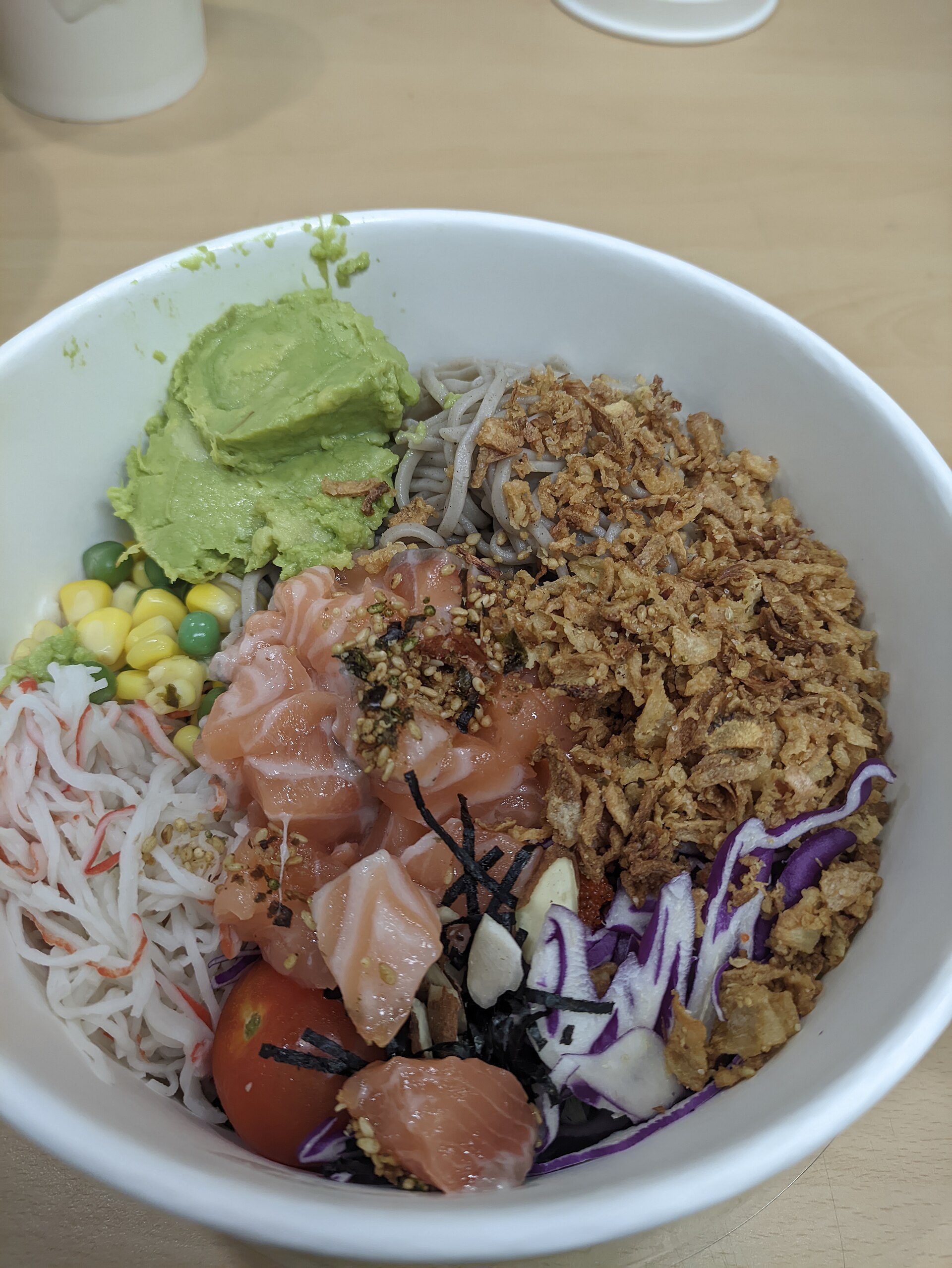
  • How to Order at Restaurants in Korea: Kiosks, Staff and Paying

    How to Order at Restaurants in Korea: Kiosks, Staff and Paying

    Quick answer

    Restaurant ordering methods vary. If you see an unmanned order machine, follow its instructions; if you are unsure, ask a staff member for help. The Korea Tourism Organization says tipping is not required or expected in Korea, and asking for more water or side dishes does not incur an additional cost. Its guide also describes a trend toward self-service water and side dishes and unmanned order machines. Check the restaurant’s instructions for how to order and pay. These KTO restaurant sources were checked on November 24, 2026 (Korea time).

    Start by looking around

    Before choosing a seat, look for posted ordering instructions or an order machine. If something is unclear, ask staff how to place an order. This avoids guessing whether you should order at the table or use equipment. Keep a translation tool or a written note ready if you need to explain a dietary restriction; do not rely on a machine translation for allergy safety.

    If there is an unmanned order machine

    The Korea Tourism Organization describes unmanned order machines as a growing restaurant trend. If a restaurant uses one, read the on-screen steps and ask staff if you cannot complete the order. The available source set does not verify which machines offer English, which foreign cards they accept or whether a specific restaurant requires payment before seating. Confirm those details at the restaurant instead of assuming one system works everywhere.

    Calling staff

    The Korea Tourism Organization also describes utensil drawers built into some restaurant tables and chairs with storage under the seat. Look for these features if you need utensils or a place to put a coat, but follow the restaurant’s own setup.

    The Korea Tourism Organization’s restaurant guide notes call buttons at tables. If you see one, press it when you need assistance. If there is no button or you are unsure how to get help, ask a staff member politely. Follow any instructions posted by the restaurant.

    Water and side dishes

    The Korea Tourism Organization says requests for more water or side dishes do not incur additional costs. It also notes a trend toward restaurants where customers serve themselves. Look for signs or ask whether you should refill items yourself or request help. Take only what you will use.

    Paying and tipping

    The Korea Tourism Organization says tipping is not required or expected in Korea. It does not describe one payment procedure that applies to every restaurant. Ask whether to pay at the table, at a counter or through the ordering equipment before you leave. If you are uncertain about a charge, ask staff to explain it.

    Useful phrases for ordering

    A few short Korean phrases can help in common situations at the table. To get a server’s attention, say “jeogiyo” (excuse me). To order by pointing at the menu or a picture, say “igeo juseyo” (this one, please). If you would like a dish less spicy, try “deol maepge hae juseyo” (please make it less spicy), though not every kitchen can adjust a dish. To ask for more side dishes, say “banchan deo juseyo” (more side dishes, please), and for water, “mul juseyo” (water, please). When you are ready to pay, say “gyesan hal-geyo” (ready to pay), and for takeaway, “pojanghae juseyo” (please pack this to go). Saying “gamsahamnida” (thank you) when you leave is always welcome. If pronunciation feels difficult, show the phrase on your phone instead.

    A simple checklist

    • Look for posted ordering instructions before you sit down.
    • Ask staff if the ordering method is unclear.
    • Check whether the restaurant expects you to serve yourself water or side dishes.
    • Confirm how and where to pay.
    • Tell staff about allergies directly and do not rely only on an automated translation.

    From the editor’s meals: choosing restaurants, side dishes and ordering rules

    Korean restaurants tend to specialize. A barbecue restaurant focuses on grilled meat, a noodle shop on noodles, and a hot-pot (jeongol) restaurant on large stews meant for sharing. That shapes your choices: decide what kind of meal you want first, then look for a restaurant of that type, rather than expecting one menu to cover everything.

    Side dishes are part of the meal. When you finish a side dish, you can simply ask for more, and staff will usually refill it. In restaurants where side dishes are self-service, take more yourself from the self-service counter, and take only what you will finish. There is no tipping in Korean restaurants.

    One rule that surprises visitors: some restaurants ask each person to order at least one dish, and do not allow a group to share a single order. This is set by each restaurant. If you are not sure, ask before ordering, or check the menu or signs near the counter.

    Limitations to keep in mind

    Restaurant systems and customs can vary. The Korea Tourism Organization page was last updated in 2023 and warns that information may differ, so use the advice as a starting point and follow the current instructions at the restaurant.

    Related guides

    The money and currency guide can help you review ways to pay while traveling.

    The useful apps guide can help you prepare translation tools for menus.

    The traditional markets guide can help you read about ordering and eating in markets.

    The Jongno food day guide can help you plan a food-focused day in central Seoul.

    The staying connected guide can help you plan mobile data for maps and QR menus..

    Photo: CC0 via Wikimedia Commons
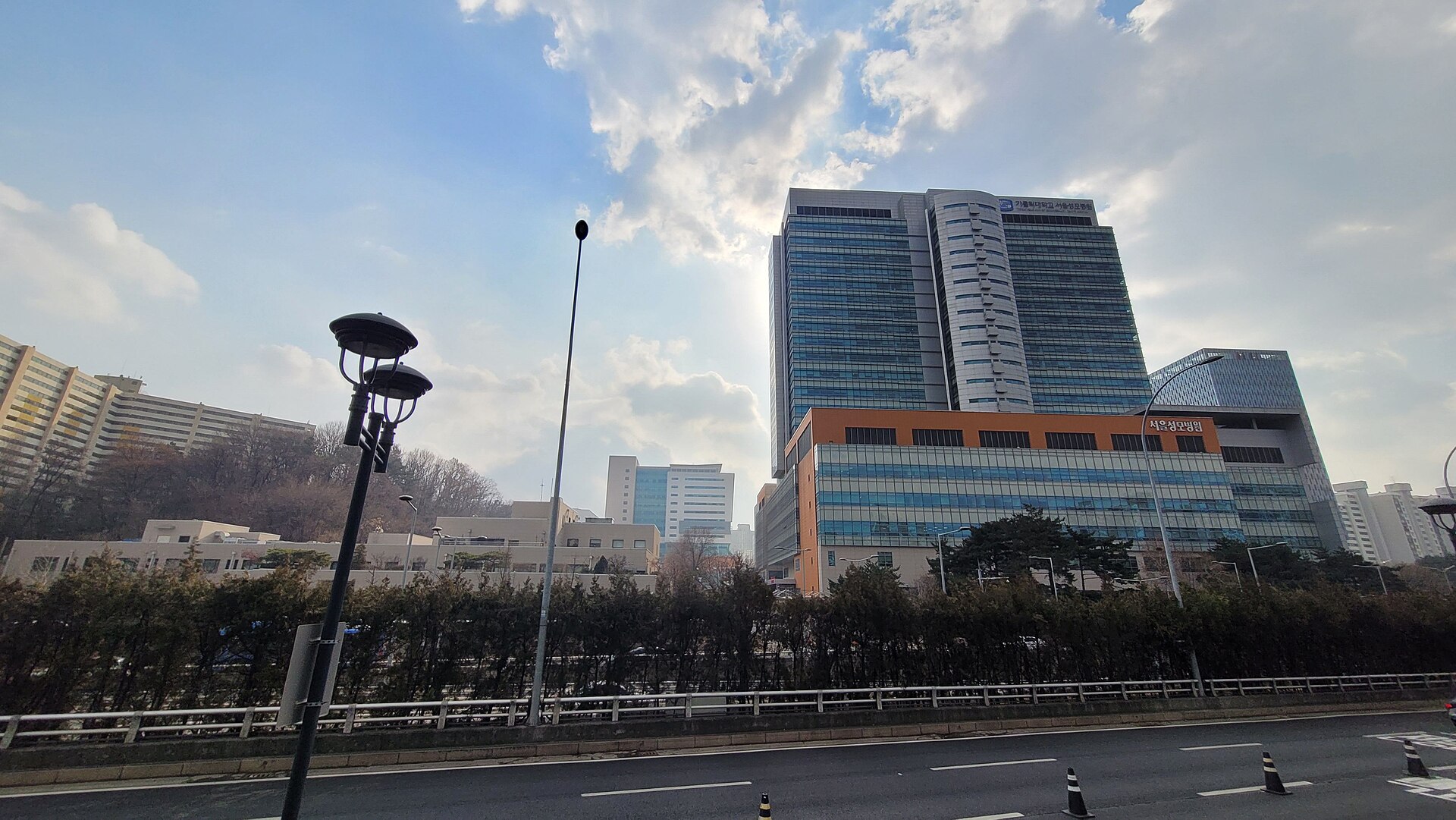
  • Getting Medical Help in Korea as a Visitor: Emergency Numbers and Language Support

    Getting Medical Help in Korea as a Visitor: Emergency Numbers and Language Support

    Quick answer

    For an ambulance or fire service in South Korea, call 119; for police, call 112. The UK Foreign, Commonwealth & Development Office lists those emergency numbers and says the Korea Tourism Organization’s 1330 travel hotline provides multilingual help, including interpretation on three-way calls with emergency services. For information about medical services in Korea, Medical Korea lists its Medical Call number as +82-2-1577-7129 and says the service operates daily during stated daytime hours. Check the current service pages before relying on a non-emergency support line. These official pages were checked on November 24, 2026 (Korea time).

    Emergency numbers to save

    • 119: ambulance and fire service.
    • 112: police.
    • 1330: Korea Travel Hotline for travel information and language support.

    The UK government travel advice says 1330 can provide interpretation, including three-way calls with emergency services. In an urgent or life-threatening situation, call the emergency number first. Use a travel hotline for language help when it is safe to do so.

    Medical information and language support

    Medical Korea says its information center provides consultation and information related to medical services in Korea in English, Chinese, Japanese and Russian. It lists Medical Call at +82-2-1577-7129 and gives the service hours as 09:00 to 18:00 Korea time, daily. Its page also lists in-person information centers, including Seoul Station and Incheon Airport. Confirm the current location, supported language and hours on Medical Korea’s page before visiting.

    The 1330 Korea Travel Hotline is another route for travel information and tourist interpretation. The Korea Tourism Organization describes it as a telephone and real-time chat service. The UK travel advice specifically notes three-way interpretation support for calls involving emergency services from 7 a.m. to midnight. It does not say that 119 itself provides an interpreter, so contact 1330 for language help when it is safe to do so. Ask which support option is appropriate for the situation rather than assuming every hotline can arrange clinical care.

    Prepare before you contact a service

    Korea Tourism Organization advises visitors who need pharmacy language support to use a translation app, show a photo of the medicine, or look for a pharmacy with a “Language assistance available” sign. In Seoul, international healthcare centers at major hospitals offer foreign-language counseling and interpretation; language options and hours vary by hospital. Seoul’s MeSic accompaniment program is for foreign residents living in Seoul, not a general visitor hotline.

    Write down the symptoms or immediate problem in plain language. Keep a list of allergies and medicines you take, and have your passport or travel insurance details available if they are relevant. If you need language help, say that clearly when you call or contact a support service. For a serious emergency, use 119 or 112 as appropriate instead of waiting for a general information response.

    Pharmacies and clinics

    For a non-emergency concern, you can decide whether to ask a pharmacist, contact a clinic or seek other medical help. The available source set for this preparation does not verify pharmacy opening patterns, the range of medicines sold at convenience stores, clinic registration procedures, payment rules or insurance paperwork. Check those details directly with the relevant provider. A pharmacy map search or a question to your accommodation can help you identify a nearby place to contact.

    From the editor’s experience: language support and costs

    The first thing to check when you need medical care is whether you can communicate with the staff. Language support differs from one hospital or clinic to another, so ask at reception, or call ahead, whether interpretation is available. If the hospital cannot provide an interpreter, the 1330 hotline can help with language assistance for travel situations. Having a short written description of your symptoms, translated into Korean, makes these routes faster.

    In the editor’s experience, a simple consultation or basic treatment cost less than many visitors from the United States expect, while the bill rose when tests were needed. Before your trip, check whether your travel insurance covers medical care in Korea and what documents the insurer needs for a claim. At the hospital, ask what tests are being recommended and roughly what they will cost before you agree, especially for non-urgent problems.

    Limitations

    This is travel information, not medical advice. The 1330 three-way interpretation support is listed by the UK government as available from 7 a.m. to midnight; check current hours. Medical Korea’s Medical Call is an information service, not an emergency number; confirm its listed languages and hours before calling.

    Related guides

    The useful apps guide can help you prepare a translation app before visiting a pharmacy or clinic.

    The staying connected guide can help you plan mobile connectivity for calls and translation.

    The money and currency guide can help you review payment options and cash planning.

    The taxi guide can help you plan how to get to a clinic or hospital.

    The where to stay guide can help you choose a base with services and transport nearby..

    Photo: CC0 via Wikimedia Commons

  • Luggage Storage and Delivery in Korea: Lockers, Airport Counters and Same-Day Delivery

    Luggage Storage and Delivery in Korea: Lockers, Airport Counters and Same-Day Delivery

    Quick answer

    For luggage in Seoul, compare a self-service T-Locker with a staffed T-Luggage counter or airport luggage service. Incheon Airport describes T-Luggage as same-day delivery between subway stations and the airport, bookable online or by on-site registration. T-Locker is an unmanned locker service in Seoul subway stations; its instructions say app reservation and payment or kiosk payment may be available depending on the location. Check the current service page and the exact station before setting your route. These operator pages were checked on November 24, 2026 (Korea time).

    Choose a service for your route

    Start with the point where you need to leave the bag and where you need it back. A locker works when you can return to the same station. For station-to-airport or airport-to-station delivery, check whether one end of the trip has an on-site T-Luggage counter. Incheon Airport says delivery between two unmanned lockers is not available and at least one location must be a T-Luggage counter.

    T-Locker subway lockers

    Incheon Airport describes T-Locker as an unmanned locker service in Seoul subway stations. Depending on the locker, you can reserve and pay through the T-Locker app or pay at the kiosk after arriving. Seoul’s information page records 5,511 lockers at 332 locations in 269 subway stations, and describes small, medium and large sizes. Treat those figures as the published count on that page; check the live station information for availability and current terms.

    Seoul Metro introduced a web option for lockers in its network. The cited Seoul Metro notice says a user can scan the QR code attached to a locker and continue in a web page without installing the app or joining first. If you prefer, the T-Locker app remains another route described by the airport page. Follow the instructions attached to the specific locker.

    T-Luggage delivery

    Airport Railroad lists staffed service points at Seoul Station, Hongik University Station, Myeongdong Station and Gimpo Airport Station, plus Hanjin Express counters at both Incheon Airport terminals. Check the location list in the current service page before selecting an endpoint.

    Incheon Airport describes T-Luggage as a same-day delivery service between subway stations and the airport. It lists online reservation or on-site registration as ways to use it. The service is limited to Seoul Metro-operated Lines 1 to 9. At least one end must be a staffed registration counter; a route between unmanned lockers alone is not available. The airport page also says a station without a large locker cannot be used as the chosen station for delivery. Confirm eligible locations, baggage limits and deadlines in the current booking service before relying on a delivery connection.

    Airport counter storage and delivery

    Incheon Airport’s Hanjin Express notice describes both luggage delivery and counter storage. It says Hanjin offers same-day delivery from Hongik University Station to its airport counter. The notice lists several counter locations and warns that hours vary by terminal and location. Use the airport’s facility search or contact the location before travelling there, especially if collection time matters for a flight.

    A simple planning checklist

    • Mark the place and time when you need to leave the bag and the place where you need it back.
    • Check the station or airport facility page for that exact location and service.
    • For T-Locker, read the locker instructions and choose app or QR web use if offered there.
    • For delivery, confirm that at least one endpoint is an eligible on-site counter and that the station is served.
    • Save the booking details and leave time to collect the bag before continuing to the airport.

    Keep passports, medicines and other essentials with you. Service locations, size limits, availability and operating details can change, so confirm them with the operator before travel.

    From the editor’s trips: picking lockers and planning your route

    On the editor’s trips, locker sizes were sometimes hard to judge against a real suitcase: a size that looks right on the screen may turn out to be a tight fit. Two habits help. First, when in doubt, choose the larger size rather than the one that should just fit, because forcing a bag into a tight locker can damage it or jam the door. Second, repack before you leave your accommodation: put everything you will not need during the day into one bag, and carry only a small daypack. One well-packed bag is easier to store than two half-empty ones, and it gives you more locker options.

    Where you store your bags matters as much as how. Pick a storage spot on the route you are already taking that day, ideally near the station where you will catch your train or airport transport later. Storing a suitcase at a station you will not pass again means a detour to collect it, often at the end of a long day. Before you lock anything away, check your plan for the rest of the day: where you will be in the evening, which line takes you to your accommodation or the airport, and whether the station you chose sits on that line. A few minutes of planning in the morning saves an unnecessary trip across the city later.

    Limitations to keep in mind

    Locker availability, sizes, fees and opening hours vary by station, so check the current service information before you travel. T-Luggage operates only on Seoul Metro Lines 1 to 9, requires at least one staffed counter endpoint and has station-specific size and deadline limits. Keep passports, medicines and other valuables with you. These service pages were checked on November 24, 2026 (Korea time).

    Related guides

    The airport transportation guide can help you compare airport and city transport before choosing where to collect bags.

    The Seoul subway guide can help you plan the station route to a locker or staffed counter.

    The where to stay in Korea guide can help you check accommodation options and ask about bag storage.

    The useful apps guide can help you prepare map and translation apps for the luggage route.

    The taxi guide can help you consider a taxi route when carrying bags..

    Photo: CC0 via Wikimedia Commons
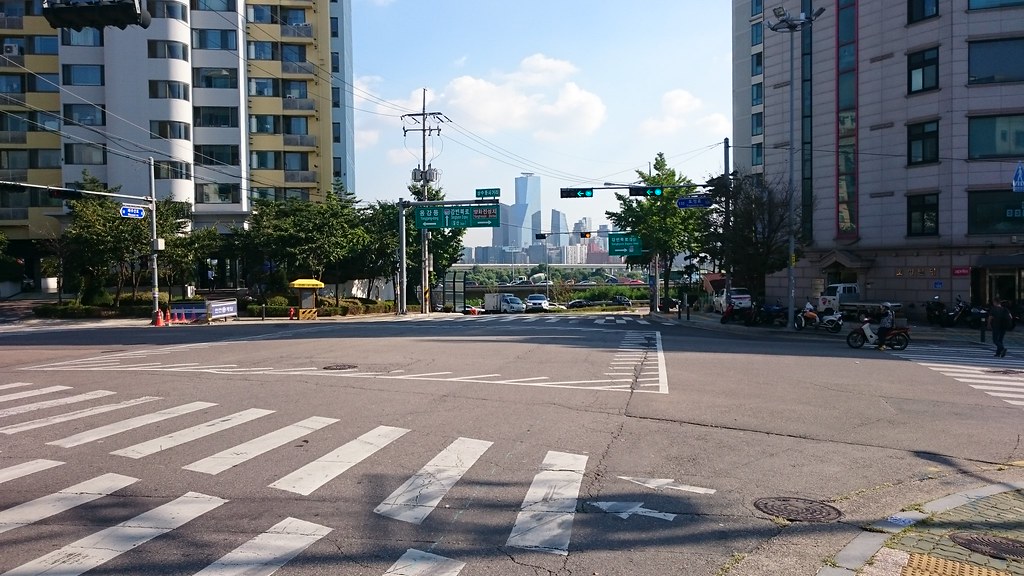
  • Staying Connected in Korea: SIM Cards, eSIMs and Pocket Wi-Fi

    Staying Connected in Korea: SIM Cards, eSIMs and Pocket Wi-Fi

    Quick answer

    For mobile data in Korea, compare a prepaid SIM card, an eSIM, and pocket Wi-Fi. The right fit depends on whether your phone supports eSIM, whether you want a physical SIM, and whether several travelers will share one connection. LG U+ describes airport activation for its data SIM and QR-code setup for its eSIM; SK Telecom and KT also publish visitor mobile-service information. Check the selected product instructions before purchase because setup and included services are provider-specific. These carrier pages were checked on November 21, 2026 (Korea time).

    Why you need data in Korea

    A connection can help you open a map, review a route, contact a service, and check transport information while moving around. LG U+ notes that booking KTX tickets or checking bus schedules often needs internet, especially when plans change close to departure. Identify the tasks you expect to do, then choose the product and allowance that match them.

    Option One: prepaid SIM card

    A prepaid SIM is a physical card installed in a compatible phone. It can suit a handset that does not support eSIM or a traveler who prefers a removable card. LG U+ says its data SIM can be activated at an airport. Its FAQ describes compatibility with unlocked phone models; if your phone is locked to a carrier, LG U+ advises contacting your home carrier about unlocking it before travel.

    Before ordering, confirm the selected plan’s data and voice details, supported devices, setup steps, and pickup instructions on that carrier’s page. Keep your existing SIM somewhere secure if you remove it, and note how you will receive messages normally sent to your home number. These are preparation suggestions; follow the selected carrier’s instructions for your model and plan.

    Option Two: eSIM

    An eSIM is a digital SIM profile, so it avoids inserting a physical card. First confirm that your exact phone model supports eSIM and is unlocked for the service you intend to use. LG U+ says its eSIM can be used after scanning the QR code sent after purchase. Follow the selected carrier’s own directions about when to install or activate the profile, and make sure you can access the QR code and instructions when needed.

    Take care before deleting a profile or resetting a phone. LG U+ states that an activated eSIM cannot be reinstalled or reissued. This is LG U+ product guidance; check the terms for the eSIM you buy and contact its provider before removing a profile if setup does not work as expected.

    Option Three: pocket Wi-Fi

    Pocket Wi-Fi is a portable hotspot that shares a mobile connection over Wi-Fi. It can help when more than one device needs to connect through the same unit. LG U+ describes its pocket Wi-Fi as connecting multiple devices. Think through who will carry the hotspot and how the group will use it during the day; make sure the person carrying it can stay reachable by the others.

    Read the rental provider’s current pickup, return, charging, and payment instructions before reserving. Those details vary by provider and can change. This guide does not compare prices, battery life, coverage radius, or return-payment rules; verify those specifics directly with the provider.

    How to choose

    Choose a physical SIM if your phone cannot use eSIM or you prefer a removable card. Choose eSIM if your device supports it and you are comfortable following digital installation instructions. Consider pocket Wi-Fi when several devices can share one hotspot and the group can coordinate around who carries it. For any option, check whether the offer is data-only or includes voice and text: LG U+ distinguishes data-only products from products that include voice and text.

    Compare product pages using the same checklist: supported device, data allowance, validity period, voice or text inclusion, setup timing, and pickup or installation instructions. Plan airport transfers and city routes as separate parts of your itinerary.

    Steps before and after you land

    Before departure, check whether your phone is unlocked and whether it supports the SIM type you plan to use. Save the carrier’s product page and setup instructions somewhere accessible. Compare published terms for data, voice, validity, and pickup or installation. SK Telecom, KT, and LG U+ each publish visitor mobile-service information, but product details are provider-specific.

    If you choose airport pickup, confirm the location listed for your specific product and terminal. LG U+ lists pickup at Incheon, Gimpo, and Gimhae airports; do not assume another provider offers the same locations or process. LG U+ says its data SIM can be activated at an airport, while its eSIM instructions describe scanning a QR code received after purchase.

    After setup, test that the connection works before depending on it for navigation or a booking. Keep the provider’s troubleshooting instructions available. If the product includes voice or text, check the product description to understand those services; if it is data-only, plan around that limitation.

    Related guides

    Prepare your apps with the useful apps for traveling in Korea guide.

    Plan your arrival route with the airport transportation guide.

    Review local rail journeys in the Seoul subway guide.

    Prepare payment options with the money and currency guide.

    For taxis, see the taxi guide.

    Limitations to keep in mind

    Carrier products, device compatibility, setup requirements, and included services differ. A statement in one carrier’s FAQ should not be treated as a rule for every SIM or eSIM. LG U+’s warning about reinstalling an activated eSIM applies to its stated product guidance; verify the terms for your provider. Confirm current pickup locations and product instructions directly before traveling.

    This guide does not provide prices, counter opening hours, a coverage guarantee, a phone-unlock diagnosis, or an international roaming comparison. Check the chosen provider’s current offer and your device details before buying. The source pages were checked on November 21, 2026 (Korea time).

    Photo: CC0 via Wikimedia Commons
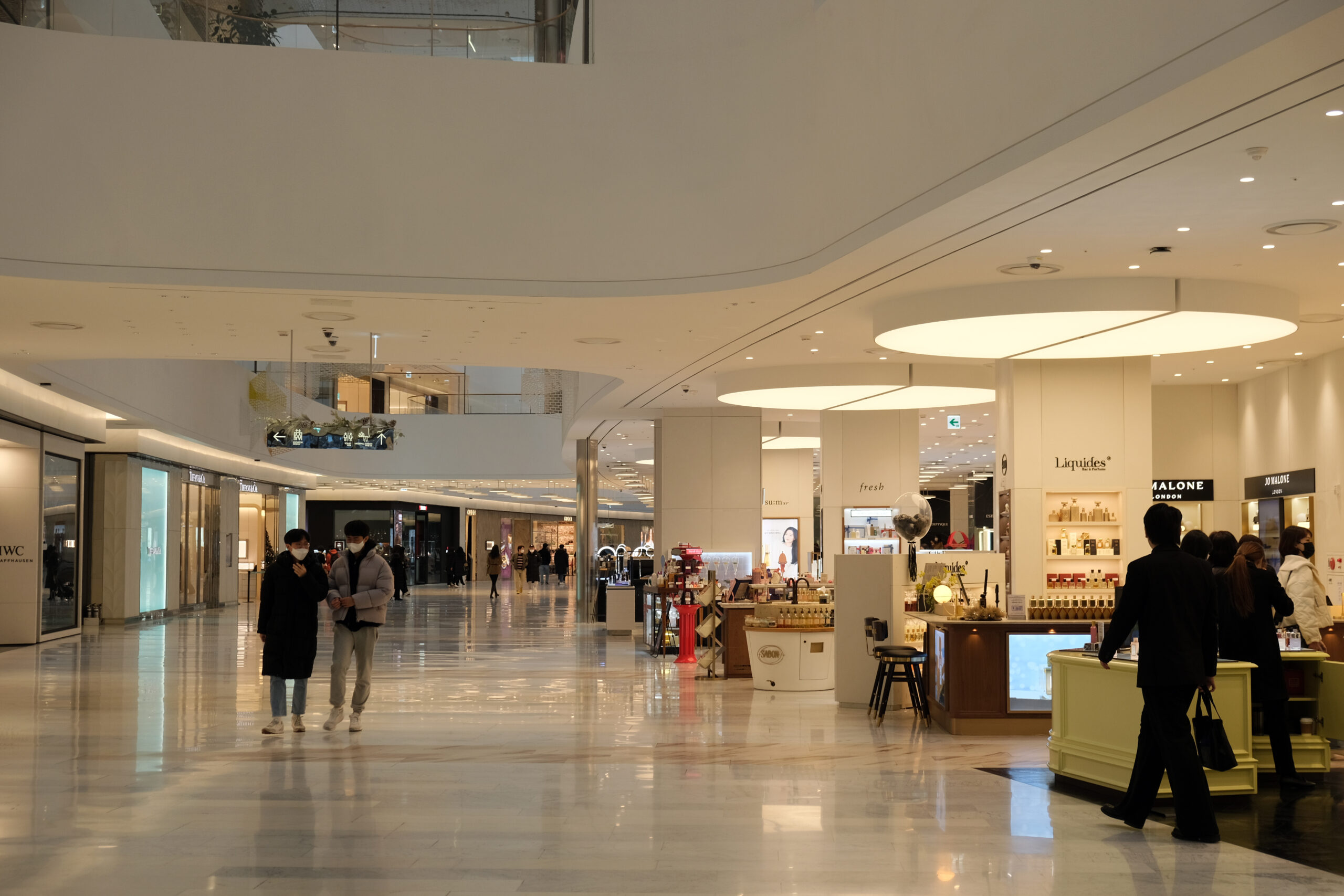
  • Useful Apps for Traveling in Korea: Maps, Taxis, Translation and Trains

    Useful Apps for Traveling in Korea: Maps, Taxis, Translation and Trains

    Quick answer

    Set up a local map, a translator, a taxi app and a train-ticket app before your trip. NAVER Map offers maps in Korean, English, Japanese and Chinese, with English navigation and transit directions; KakaoMap also lists walking and public-transport routes. Papago supports 14 languages and text, image, voice, conversation, handwriting and offline text translation. k.ride supports overseas cards, destination and driver-chat translation in over 100 languages, and several sign-in methods. For rail, install the current Korail+ app: KORAIL says the old KorailTalk app stopped working in October 2026. The cited app and official travel pages were checked on November 19, 2026 (Korea time).

    Why local apps matter in Korea

    A local map app can help with place searches and transit planning alongside any map you already use. The Korea Herald has reported that Google Maps in Korea offered transit directions but not walking directions, and that paths to transit stops appeared as straight lines. Treat that report as context rather than a guarantee about every current route: check the route details in the app you plan to use, especially the final walk to a station entrance or destination.

    Using two map apps is a practical fallback when a place name or route is hard to find. Save the Korean name of a hotel, restaurant or attraction alongside its English name, then try that spelling in the search bar. This is a travel tip, not a promise that every listing has a matching English or Korean result.

    Maps and directions: NAVER Map and KakaoMap

    NAVER Map’s listing describes a search for locations, buses and subway, plus transit directions with departure and arrival information. It says maps are available in Korean, English, Japanese and Chinese and that navigation is available in English. Try it for finding a business, checking a bus or subway route, and planning a drive or walk. Business details and review text may still appear in Korean, so keep the Korean place name visible when comparing search results.

    KakaoMap is another route-planning option. Its listing describes walking and public-transport routes as well as driving and bicycle directions. If the first app returns no clear match, compare the destination name and route in the second app, then check the last turn or station exit before setting off. App coverage and details can differ by place; use the route preview to confirm the destination you intend.

    Translation: Papago

    Papago’s listing names 14 supported languages, including Korean, English, Japanese, Chinese, Spanish, French, Vietnamese, Thai, Indonesian, Russian, German, Italian and Arabic. It lists text, image, voice, one-to-one conversation and handwriting translation. Text translation is also listed for offline use. Those modes give you several ways to try a menu, sign, short question or written note without relying on just one input method.

    For a printed menu or sign, use image translation; for a short question, type or speak it. Download or test the app before travel so you know where the modes are, and check that offline text translation is available on your device before depending on it. When an address or medical instruction matters, keep the Korean original available and confirm the meaning with a person or official source if you are unsure.

    Taxis: k.ride

    VISITKOREA describes k.ride as a mobility service for international visitors. It says users can check estimated routes and fees after choosing a vehicle, register an overseas credit card or use Alipay+, and sign up with a phone number, email, Google account or Apple account. The service also translates destination searches and chats with drivers in over 100 languages. Review the route and estimated fee shown in the app before requesting a ride, and confirm the destination displayed on screen.

    The available sign-in and payment options are useful starting points, but they do not guarantee that every individual card or account will work. Keep another way to arrange or pay for transport, and see the taxi guide for the detailed Korea taxi instructions. This guide does not claim that Kakao T accepts specific foreign-card networks or that a k.ride trip can always be paid directly to the driver.

    Trains: Korail+

    KORAIL’s current app is Korail+. VISITKOREA lists Korail+ and the Let’s Korail website as official ticket platforms and says travelers can reserve seats and pay for tickets in advance; English is one of the app’s listed languages. The official notice says the old KorailTalk service ended on October 21, 2026, and core train-search and ticket features require the latest Korail+ app. Search your app store for Korail+ and check the publisher before installing it.

    If you plan to take KTX or another KORAIL train, set up the current app and confirm that you can find your route and departure station before travel day. Read the fare, refund and ticket instructions shown for your booking. For subway directions around Seoul, see the Seoul subway guide; for airport-to-city choices, use the airport transportation guide.

    Travel information: VISITKOREA

    The Korea Tourism Organization’s VISITKOREA app offers travel information and themed content, with a Travel Planner and suggested itineraries. The organization describes information on attractions, food, accommodation, shopping and festivals, and lists English, Japanese and Chinese support for the app. Use it to browse planning ideas, then check the attraction or event’s own current notice before making a time-sensitive plan.

    Set up before you fly

    1. Install NAVER Map or KakaoMap, test a hotel search, and save the Korean place name.
    2. Install Papago and try text and image translation before you travel.
    3. If using k.ride, test sign-up and payment registration before you need a ride.
    4. If taking a KORAIL train, install the current Korail+ app and find your booking screen.

    Install the map and translation apps you expect to use, then test a search for your hotel and the nearest station. Keep both the English and Korean place names in a note you can copy. If you expect to use k.ride, try its sign-up and payment registration before you need a ride. If you expect to travel by train, open Korail+ and locate the booking and ticket screens. These are preparation steps; app availability and account setup can vary by device and account.

    Save the money and currency guide for payment and cash questions, and the where to stay in Korea guide when planning your base. Together, these references help connect app setup with the transport, money and accommodation decisions around a trip.

    Limitations to keep in mind

    App names, features, supported languages and payment options can change. Check the app store listing and the service’s own help pages shortly before travel; use the current Korail+ app rather than assuming older KorailTalk instructions still apply. A listed payment method is not a guarantee that a particular card will be accepted for a particular transaction.

    Translations and map search results are aids for planning, not a substitute for checking an important detail. Compare the Korean destination name and route, read the final booking screen, and ask staff to confirm details when the cost, timing or destination matters. Keep a second transport or payment option available in case an app, account or card does not work as expected.

    Related guides

    The taxi guide covers fares, payment and street hailing. The Seoul subway guide explains subway travel; the airport transportation guide compares airport routes. For practical planning, read the money and currency guide and the where to stay in Korea guide.

    Photo: CC0 via Openverse (Flickr)

  • Duty-Free Shopping and VAT Refunds in Korea

    Duty-Free Shopping and VAT Refunds in Korea

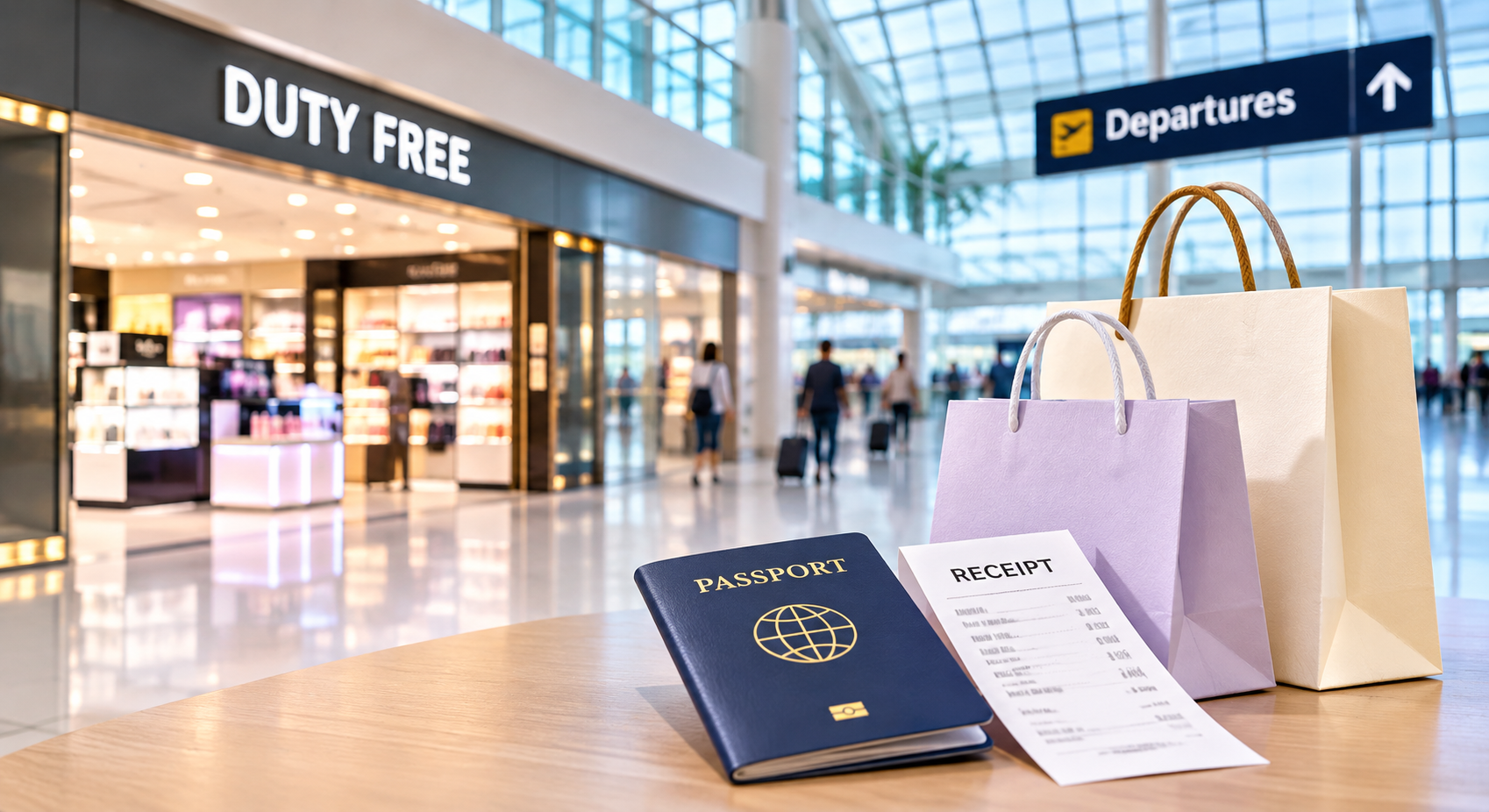
    AI-generated illustration for Kignal. This image does not depict an actual airport duty-free store or official tax-refund procedure.

    Learn how duty-free shopping differs from Korea’s tax-refund programs, who may qualify, and what to check before paying or leaving the country.

    Quick answer

    A duty-free purchase is taxed under duty-free rules at the point of sale, while a tourist tax refund returns tax on eligible purchases from participating retailers; a duty-free item is not eligible for a refund. Non-Korean citizens staying in Korea less than six months can apply when a receipt is at least 15,000 won and the goods leave Korea unopened and unused within three months of purchase. An immediate in-store refund applied to a single payment of at least 15,000 won and less than 1,000,000 won, up to 5,000,000 won of total trip spending; a downtown refund booth accepted receipts of up to 6,000,000 won. For goods brought into Korea, the basic customs allowance was USD 800, with separate allowances for liquor (2 liters or less and USD 400 or less), perfume (100 milliliters), and cigarettes (200 sticks). These rules were checked on the Korea Customs Service, Korea Tourism Organization, and Incheon Airport pages on November 11, 2026 (Korea time).

    Duty-Free or Tax Refund: Which One Are You Buying?

    “Duty free” and “tax refund” describe different transactions. At an airport or downtown duty-free shop, the applicable taxes are handled at the point of sale under that shop’s rules. At a participating tax-refund retailer, an eligible traveler may receive an immediate deduction or claim a refund later. A duty-free purchase cannot receive a second Korean tax refund. Korea Customs Service listed a basic duty-free allowance of USD 800 in total taxable value for goods brought into Korea. Liquor has a separate allowance of 2 liters or less and USD 400 or less in total value; perfume has a separate allowance of 100 milliliters; cigarettes have a separate allowance of 200 sticks. These three allowances are apart from the USD 800 basic allowance. Check the customs rules for your destination country and the shop’s current terms.

    Option How it works and what to check
    Duty-free shop Applicable taxes are exempted at sale. Check shop rules, pickup arrangements, and customs allowance at your destination.
    Immediate tax refund A participating store checks eligibility and deducts eligible tax at sale.
    General tax refund Pay the tax-inclusive price, then claim later with store-issued refund documents.

    The Korea Tourism Organization (KTO) describes the refund system as applying to eligible goods bought at participating stores. Store participation and the transaction method matter: a department-store building may contain multiple retailers, and not every counter necessarily handles refunds. Look for the tax-refund sign, then ask the cashier which process applies before payment.

    Who Qualifies—and What Can Be Refunded?

    The Korea Tourism Organization’s guidance listed non-residents who do not earn income in Korea as eligible, including foreign visitors staying less than six months and overseas Koreans who had lived abroad for at least two years and stayed in Korea for three months or less. Diplomats in Korea, United States military personnel in Korea, and people employed in Korea were excluded. Purchases under a corporate name or made by an agent did not qualify. Cooked food and massage services were excluded because customs could not verify them; goods opened or used before leaving Korea and duty-free items were also excluded. Each receipt must be at least 15,000 won, and goods must be new, unopened, unused, and leave Korea within three months of purchase. The retailer or refund operator can confirm whether an unusual traveler or purchase meets the program terms.

    Immediate and Later Refunds: Compare the Limits

    The Korea Tourism Organization listed these channel limits: an immediate refund required a single payment of at least 15,000 won and less than 1,000,000 won, with total trip spending of no more than 5,000,000 won. A receipt at a downtown refund booth could not exceed 6,000,000 won. The Korea Tourism Organization’s comprehensive tax-refund guide was dated October 20, 2025.

    Refund channel Published limits
    Immediate refund One payment of at least 15,000 won and less than 1,000,000 won; total trip spending no more than 5,000,000 won.
    Downtown refund booth Each receipt no more than 6,000,000 won.
    Airport refund Minimum 15,000 won; the Korea Tourism Organization listed no upper transaction limit for this channel.

    Ask the retailer whether it offers an immediate refund or another refund channel, and follow the refund operator’s instructions for any documents.

    Keep the Goods and Paperwork Ready for Departure

    For refund goods carried on board, use the kiosk in the departures hall and, if customs inspection is required, present your passport, the list of purchased unopened and unused goods, and the receipt to customs. For refund goods in checked baggage, tell the airline staff at check-in, get the bag tagged, use the departures-hall kiosk, get customs approval if inspection is required, then place the bag on the large conveyor belt next to the customs desk. Airport procedures can change, so check the current instructions for your terminal.

    Before You Pay

    Before paying, confirm with the retailer whether it participates in a refund program, whether your purchase meets the applicable limits, and which refund channel it offers. Check your destination country’s customs and declaration rules separately.

    A department-store building can contain participating and nonparticipating retailers. A downtown duty-free shop is not a second tax-refund transaction. At a traditional market, do not assume each stall participates; look for the refund sign and confirm before paying. Do not subtract a guessed refund from the shopping budget because the amount depends on the items and refund method.

    For current details, review the Korea Tourism Organization tax-refund guide, Korea Tourism Organization comprehensive tax-refund guide, Korea Customs Service traveler allowance guidance, and Incheon Airport tax refund instructions.

    Related guides

    The money and currency guide covers payment and cash options while shopping in Korea.

    The department-store shopping guide covers shopping information for department stores in Korea.

    The airport transportation guide covers ground transportation after arriving at a Korean airport.

  • Department Store Shopping in Korea: A Visitor’s Guide

    Department Store Shopping in Korea: A Visitor’s Guide

  • Traditional Markets in Korea: Where to Go and How to Shop

    Traditional Markets in Korea: Where to Go and How to Shop

  • Airport Transportation in Korea: Incheon, Gimpo and Beyond

    Airport Transportation in Korea: Incheon, Gimpo and Beyond

  • KTX vs. Express Bus: Traveling Between Korean Cities

    KTX vs. Express Bus: Traveling Between Korean Cities

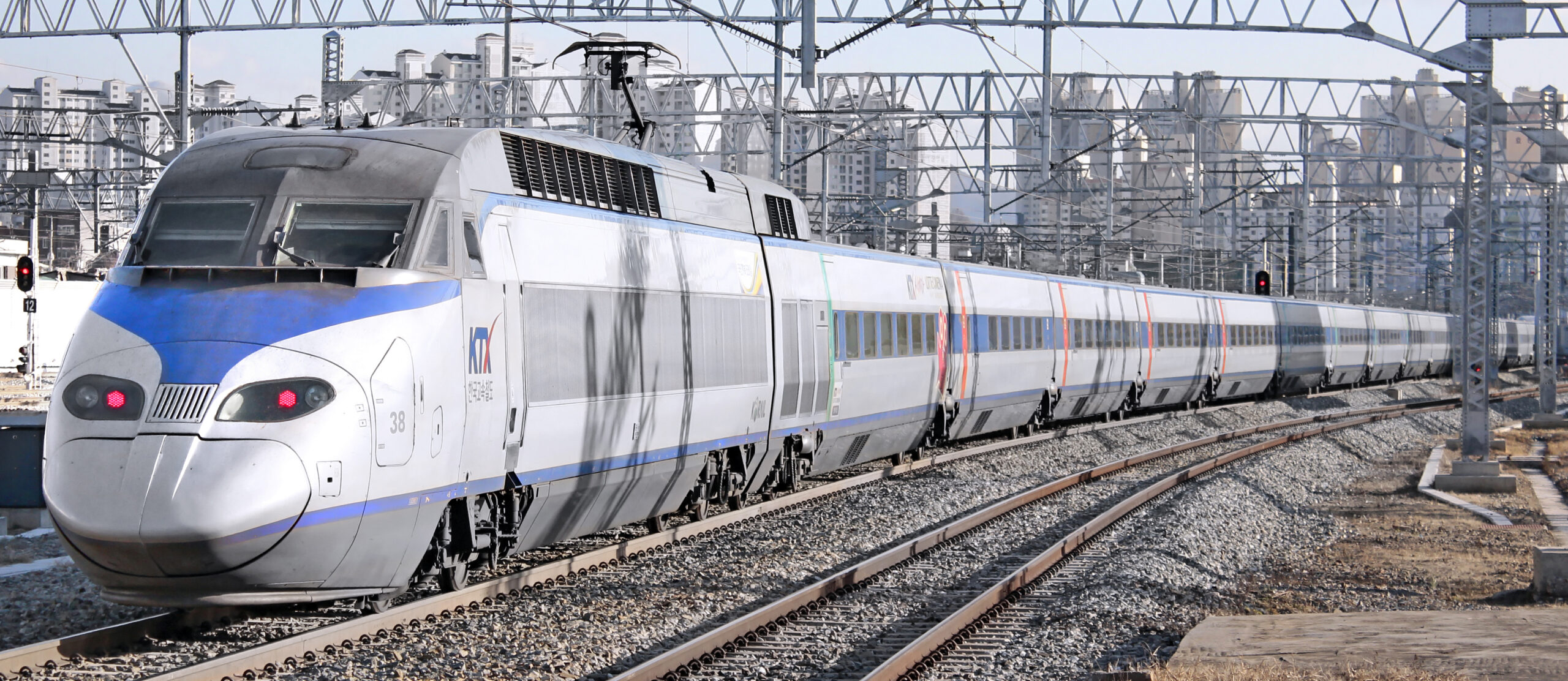
    Photo: Minseong Kim / Wikimedia Commons, CC BY-SA 4.0

    A dated comparison of trains and buses from Seoul to Busan, Gangneung, and Jeonju, using listings from the Korail and Tmoney Mobility booking sites for one Monday in November 2026.

    Quick answer

    For travel on Monday, November 23, 2026, searched on November 12, 2026 (Korea time), the sampled trains had shorter ride times on all three routes and the sampled buses had lower adult fares. Seoul to Busan: KTX 103 took 3 hours 7 minutes for 49,300 won in economy class, while the EastSeoul to Busan Haeundae bus listed 4 hours 50 minutes for 45,000 won. Seoul to Gangneung: KTX-EUM 809 took 2 hours 3 minutes for 27,600 won, while the EastSeoul to Gangneung bus listed 2 hours 20 minutes for 24,300 won. Seoul to Jeonju: KTX 513 took 1 hour 42 minutes for 31,900 won, while the SouthSeoul to Jeonju bus listed 2 hours 50 minutes for 19,000 won. These were dated listings, not guaranteed fares or schedules.

    How the samples were collected

    All six searches used the same travel date, Monday, November 23, 2026, for one adult on a one-way trip, and were run on November 12, 2026 (Korea time). Train results came from the Korail English booking site with direct trains only and a 09:00 start time, so earlier trains did not appear. Bus results came from the Tmoney Mobility English booking site, which listed morning departures from 07:00 onward. Each fare quoted for a train comes from the fare panel for that specific train number; other trains in the same list may have different fares.

    In the November 2026 search, the Korail results labeled the stations only “Seoul” and the destination city. The Tmoney results named the departure terminals “EastSeoul” (Dong Seoul) and “SouthSeoul” (Nam Seoul). This sample does not include buses from Seoul Express Bus Terminal.

    Seoul to Busan

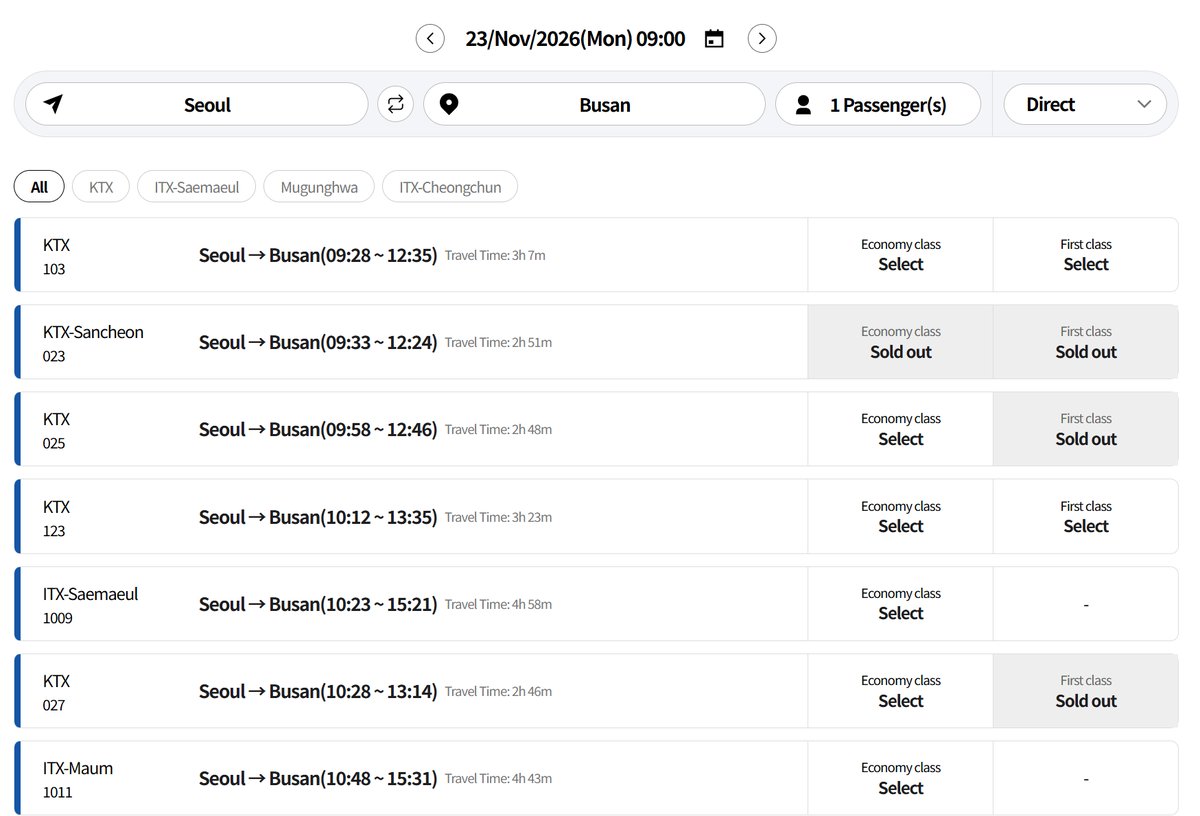
    In the November 12, 2026 search, Korail’s fare panel for KTX 103, departing 09:28 and arriving 12:35, showed 49,300 won in economy class and 71,500 won in first class, a ride of 3 hours 7 minutes. Other KTX departures in the same list took between 2 hours 44 minutes and 3 hours 23 minutes, and KTX-Sancheon 023 at 09:33 was sold out in both classes. Slower ITX-Saemaeul 1009 and ITX-Maum 1011 trains took 4 hours 58 minutes and 4 hours 43 minutes.

    Korail English booking site results listing direct KTX and ITX trains from Seoul to Busan on 23 November 2026, with departure and arrival times, travel times, and sold-out seats

    Pictured above: Korail’s English booking site listed these direct Seoul to Busan trains for Monday, November 23, 2026, in a search run on November 12, 2026.

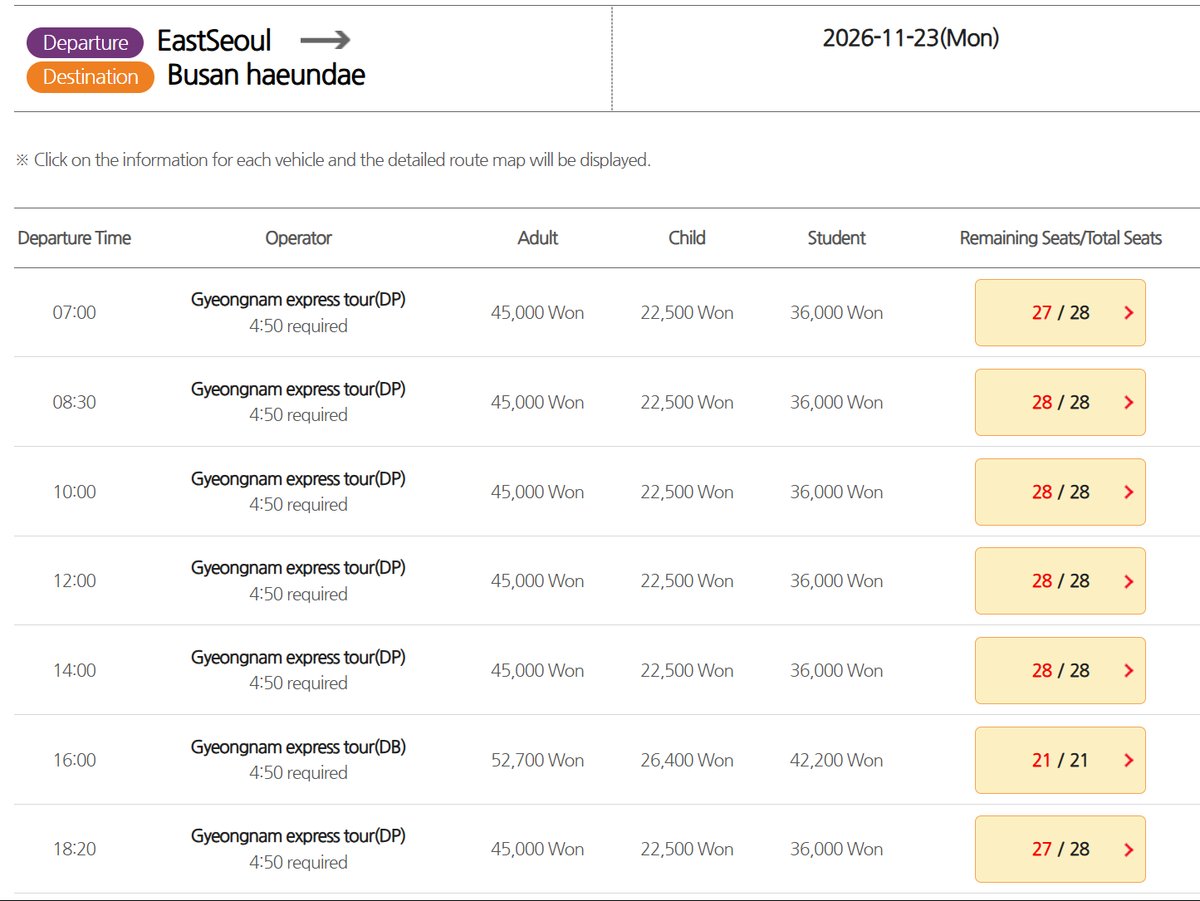
    For the same November 23, 2026 travel date, Tmoney listed buses from EastSeoul to Busan Haeundae operated by Gyeongnam express tour, each with a 4 hours 50 minutes ride. Departures at 07:00, 08:30, 10:00, 12:00, 14:00, and 18:20 were marked DP and cost 45,000 won for an adult; the 16:00 departure was marked DB and cost 52,700 won. Compared with KTX 103, the 45,000 won bus was 4,300 won lower and its listed ride was 1 hour 43 minutes longer. The bus arrived at Haeundae, so check whether that terminal suits your lodging.

    Tmoney Mobility results listing buses from EastSeoul to Busan Haeundae on 23 November 2026, with departure times, operator, adult, child and student fares, and remaining seats

    Pictured above: Tmoney Mobility listed these EastSeoul to Busan Haeundae buses and fares for November 23, 2026, in a search run on November 12, 2026.

    Seoul to Gangneung

    In the November 12, 2026 search, Korail’s fare panel for KTX-EUM 809, departing 09:55 and arriving 11:58, showed 27,600 won in economy class and 33,100 won in first class, a ride of 2 hours 3 minutes. The other KTX-EUM departures listed between 12:11 and 21:31 took between 1 hour 57 minutes and 2 hours 11 minutes.

    For the same November 23, 2026 travel date, Tmoney listed EastSeoul to Gangneung buses run by Kangwon travel and Donghae express. Departures marked DP cost 24,300 won and mostly listed 2 hours 20 minutes; the 08:00 departure listed 2 hours 50 minutes. The 08:15 departure was marked DB and cost 27,300 won. Compared with KTX-EUM 809, the 24,300 won bus was 3,300 won lower and its usual listed ride was 17 minutes longer.

    Seoul to Jeonju

    In the November 12, 2026 search, only three direct trains appeared after 09:00. Korail’s fare panel for KTX 513, departing 12:19 and arriving 14:01, showed 31,900 won in economy class and 46,300 won in first class, a ride of 1 hour 42 minutes. KTX-Sancheon 521 at 16:29 was sold out, and KTX-Sancheon 525 at 18:36 had economy seats but no first-class seats; both listed 1 hour 51 minutes.

    For the same November 23, 2026 travel date, Tmoney listed SouthSeoul to Jeonju buses run by Honam gosok and Jeonbuk express, with seven departures between 07:05 and 09:45. Each was marked DP, cost 19,000 won for an adult, and listed 2 hours 50 minutes. Compared with KTX 513, the bus was 12,900 won lower and its listed ride was 1 hour 8 minutes longer. The buses also left several hours before the first direct train in this search.

    Choosing for your trip

    Based on the November 2026 samples, if ride time matters most, the sampled trains were shorter on every route, with the largest gap on Busan, where the bus listing was 1 hour 43 minutes longer. If the fare matters most, the sampled buses were lower on every route, and the gap was largest on Jeonju at 12,900 won. On Gangneung the two options were close in both price and ride time. Also compare where each trip starts and ends: the trains left from a station Korail labeled “Seoul,” while the buses left EastSeoul or SouthSeoul terminals and the Busan bus ended at Haeundae.

    What these samples do not show

    These November 2026 listings covered one travel date and only part of each day, so fares, seat availability, and timetables on other dates can differ. Ride times exclude getting to the station or terminal. The bus labels DP and DB were recorded as shown without interpreting them, and train fares apply only to the train numbers named. Check the current Korail or Tmoney Mobility listing before buying a ticket.

    Related guides

    The airport transportation guide explains how to reach Seoul from Incheon and Gimpo airports before a longer trip.

    The bus guide covers how to ride city and intercity buses in Korea.

    The taxi guide explains taxi types, fares, and apps for getting to a station or terminal.

    The Gangwon transportation guide adds onward travel context for Gangneung, and the Jeonju Hanok Village guide covers what to do after arriving in Jeonju.

    For a Busan overview, see the Busan destination page.